The mixer
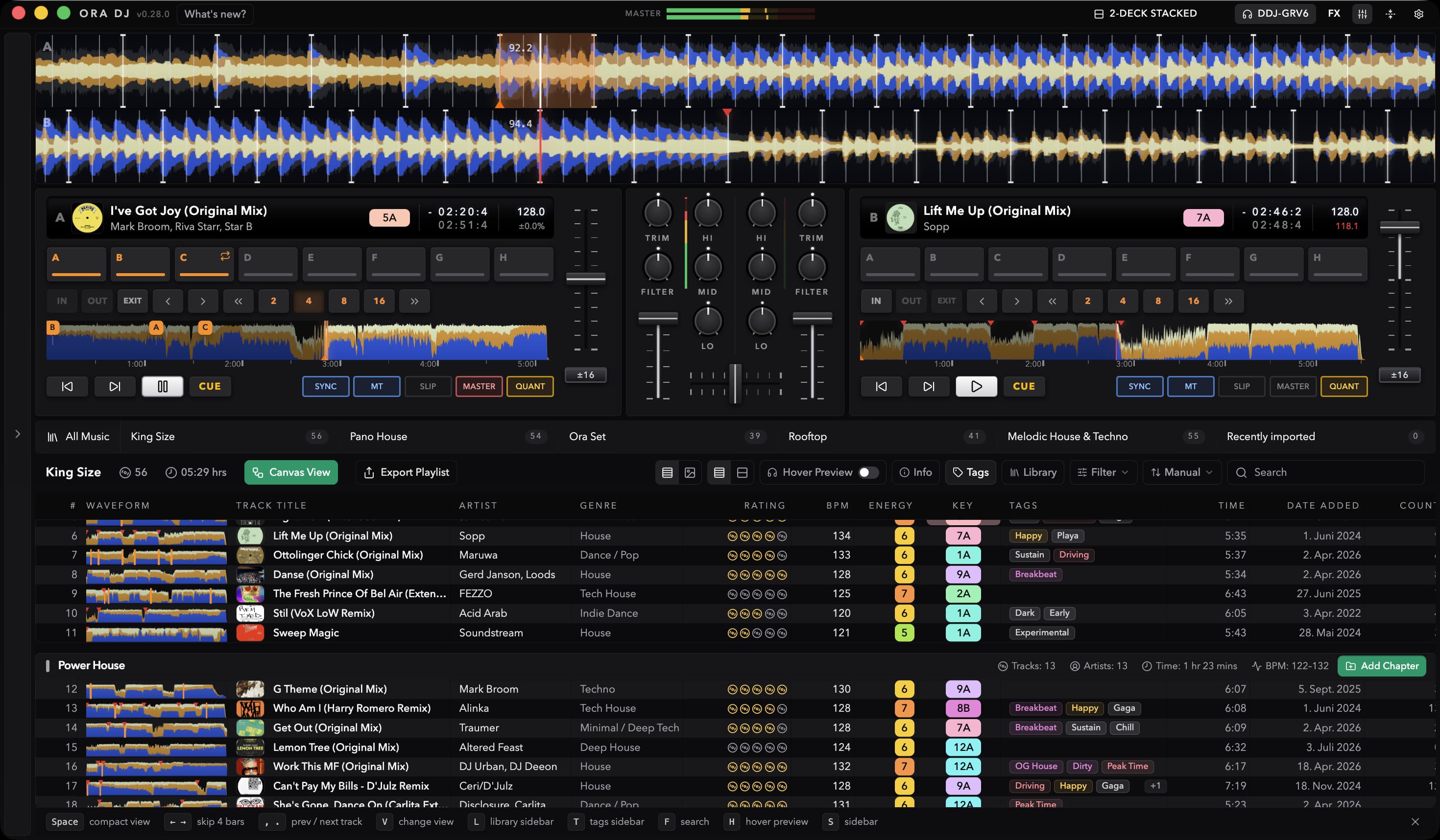
Ora DJ's built-in mixer, with trim, a three-band EQ, a filter, channel faders, a crossfader, level meters, and the tempo fader on each deck.
The mixer sits between the decks and works like the one in front of you at a gig: trim, a three band EQ, a filter, a channel fader per deck, and a crossfader underneath.
Channel controls
Each deck gets its own strip.
- Trim sets the level coming into the channel. Center is unity. Turning it down is gentle at first and steepens as you go, so small moves near the center do what you expect and the bottom of the travel is a true mute. Turning it up boosts.
- Hi, Mid, and Lo are the EQ. Each band boosts up to 6 dB.
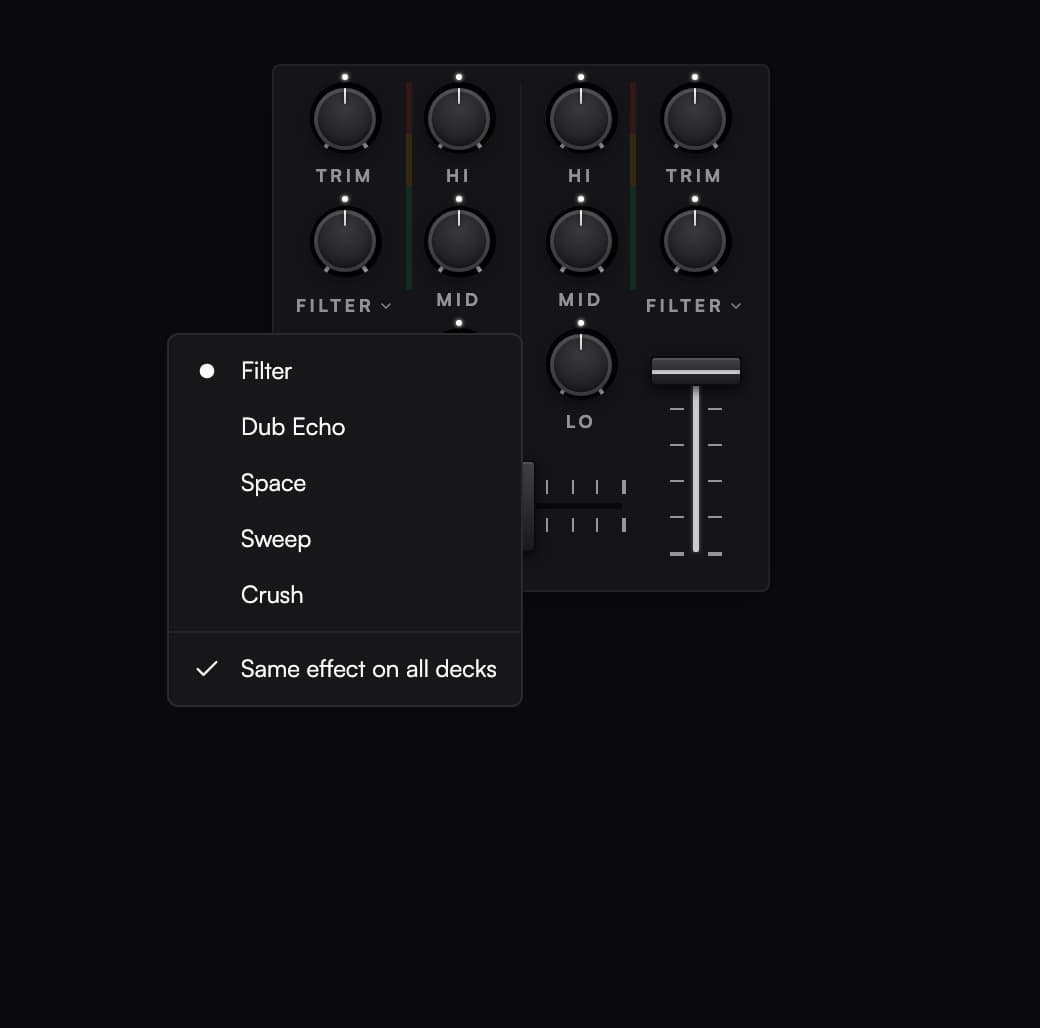
- Channel FX applies the selected effect. Filter sweeps low pass one way and high pass the other from the center; the other choices are Dub Echo, Space, Sweep, and Crush.
- The channel fader sets what leaves the channel and goes to the master.
The crossfader runs under both channels. Double-click it to snap it back to the center.
Turn on SCFX to use the channel effect knobs. Same effect on all decks links the effect choice by default; each deck keeps its own knob amount.
The separate FX panel provides regular effects routed to a selected channel or master. PAD FX are covered in Performance pads.
How far the EQ cuts
Open Settings, then Mixer & Controller, and find EQ behaviour.
- Isolator uses a steep crossover, so a band turned all the way down goes silent. This is the default, and it's what you want for kill style mixing.
- Standard behaves like a normal shelving EQ: turning a band down cuts it hard but leaves a trace of it in the mix.
Both boost up to 6 dB. The mode applies to every deck.
Level meters
Each channel has a meter, and the master meter lives in the app header, so it's visible in every view.
The meters read from -36 dB at the bottom to 0 dB at the top. The master meter also shows limiter reduction, so you can see when the limiter is holding down peaks. Repeated limiting is a reason to reduce the channel levels or allow more master headroom.
- Green is below -9 dB.
- Yellow runs from -9 dB up to -3 dB. This is where you want your loudest moments.
- Red is above -3 dB. You're close to the ceiling.
A thin marker rides on top of each meter holding the recent peak. It sits still for a moment, then falls back, and it takes the color of the zone it's sitting in. It's there to catch the peaks your eye would miss.
The scale isn't linear. The top of the meter is stretched and the bottom is squeezed, so you get more resolution where it matters, near clipping. The meters also fall away slowly rather than snapping down, the way a hardware mixer's do.
The channel meter reads after trim and EQ but before the channel fader, so it still shows level while you're cueing with the fader down. The master meter reads the signal actually leaving for your audio device, after the limiter.
Tempo
Each deck has a tempo fader. The button under it cycles the range: ±6, ±10, ±16, and WIDE. It starts at ±10, and each deck remembers its own range.
The fader follows CDJ convention: up is slower. Double-click it to reset the deck to its original tempo. Nudge it near the center and it snaps to exactly zero.
At WIDE, pulling the fader all the way to the bottom stops the track dead, the way a CDJ does. Parking it just above the bottom doesn't silence the deck, it smears it, so if you want silence take it all the way down or pull the channel fader.
Related
- Audio setup for master headroom and output devices
- Deck views for the four channel mixer
- Controller support and MIDI mapping