
DJ software that gets
out of your way.
The whole DJ workflow in one modern app: accurate key detection, fast library management, set planning that keeps you in the flow, and MIDI controller mapping for your own hardware.
1.0 Set Curation
Design the arc of your set, not just the tracklist.
A chapter-based workspace for sets that have a shape. Warm-up, build, peak, reset, closer. See the whole set as a structure, not a flat scroll of 60 tracks.
Explore Set CurationIntro
You (Noir Remix)
Pello
Melodic House & Techno

Afraid To Feel (Tommy Villiers Remix)
DV SYSTEM
UK Garage / Bassline

Livin' The (Good Life)
DJ Avix
Rap & Hip-Hop
Main chapter

Getting Me Hot (I Don't Know Dub)
Chromium Crew
House

Papi's Pumping Piano
DEVOUT.
House

Love On The Line
Kovren
House

Feeling Good
Halftone
House

Essence Of House
St. Marlow
House

On Groove
Davide Renzi
Jackin House
Intro
You (Noir Remix)
Pello
Melodic House & Techno
Afraid To Feel (Tommy Villiers Remix)
DV SYSTEM
UK Garage / Bassline
Livin' The (Good Life)
DJ Avix
Rap & Hip-Hop
Main chapter
Getting Me Hot (I Don't Know Dub)
Chromium Crew
House
Papi's Pumping Piano
DEVOUT.
House
Love On The Line
Kovren
House
Feeling Good
Halftone
House
Essence Of House
St. Marlow
House
On Groove
Davide Renzi
Jackin House
2.0 Library Management
Take control of your library.
Rediscover the tracks you forgot you had, clean up the mess that builds up over years of collecting, and rest on automatic daily backups.
Explore library management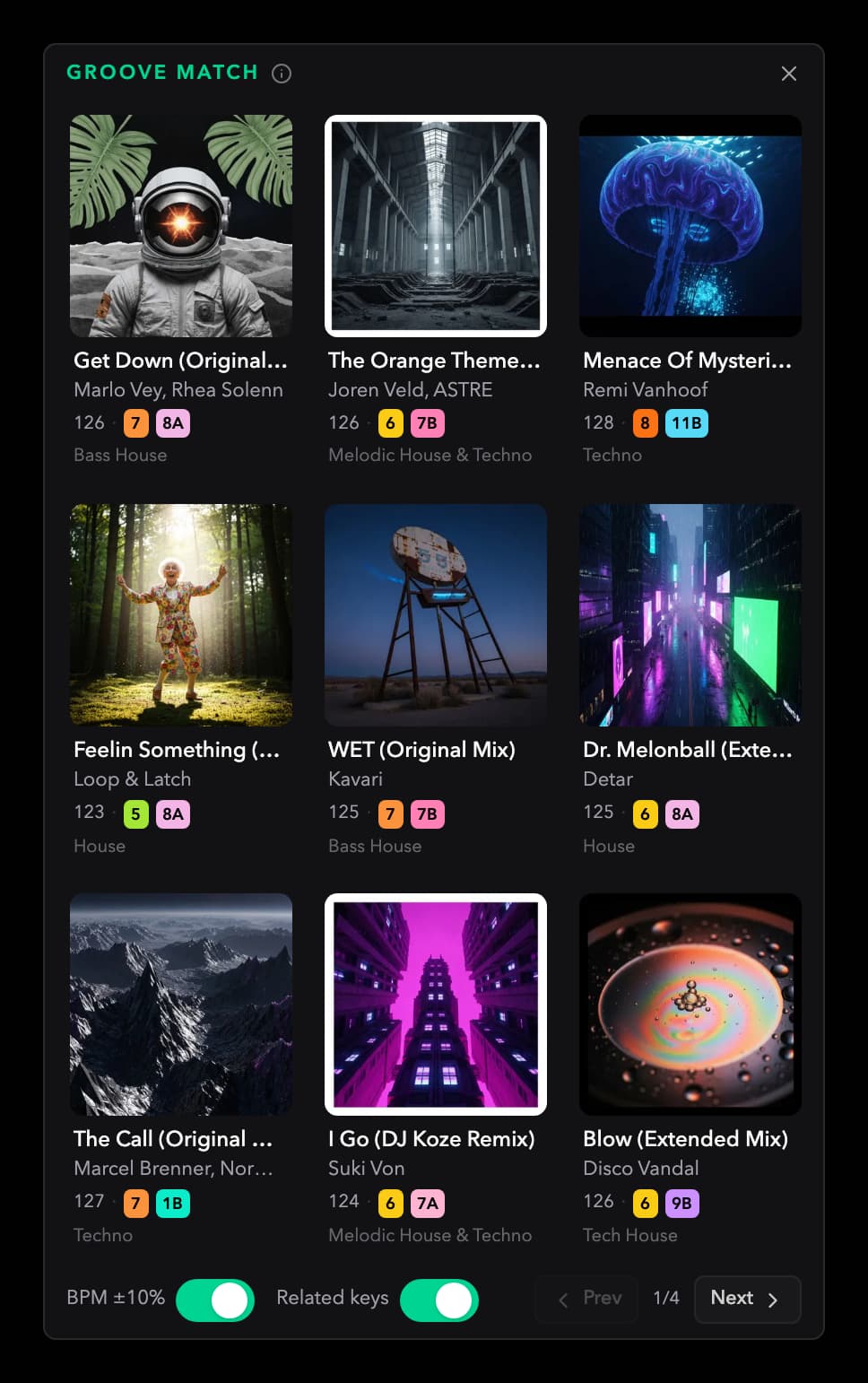
New: TrackId.net integration
Find the track behind the moment.
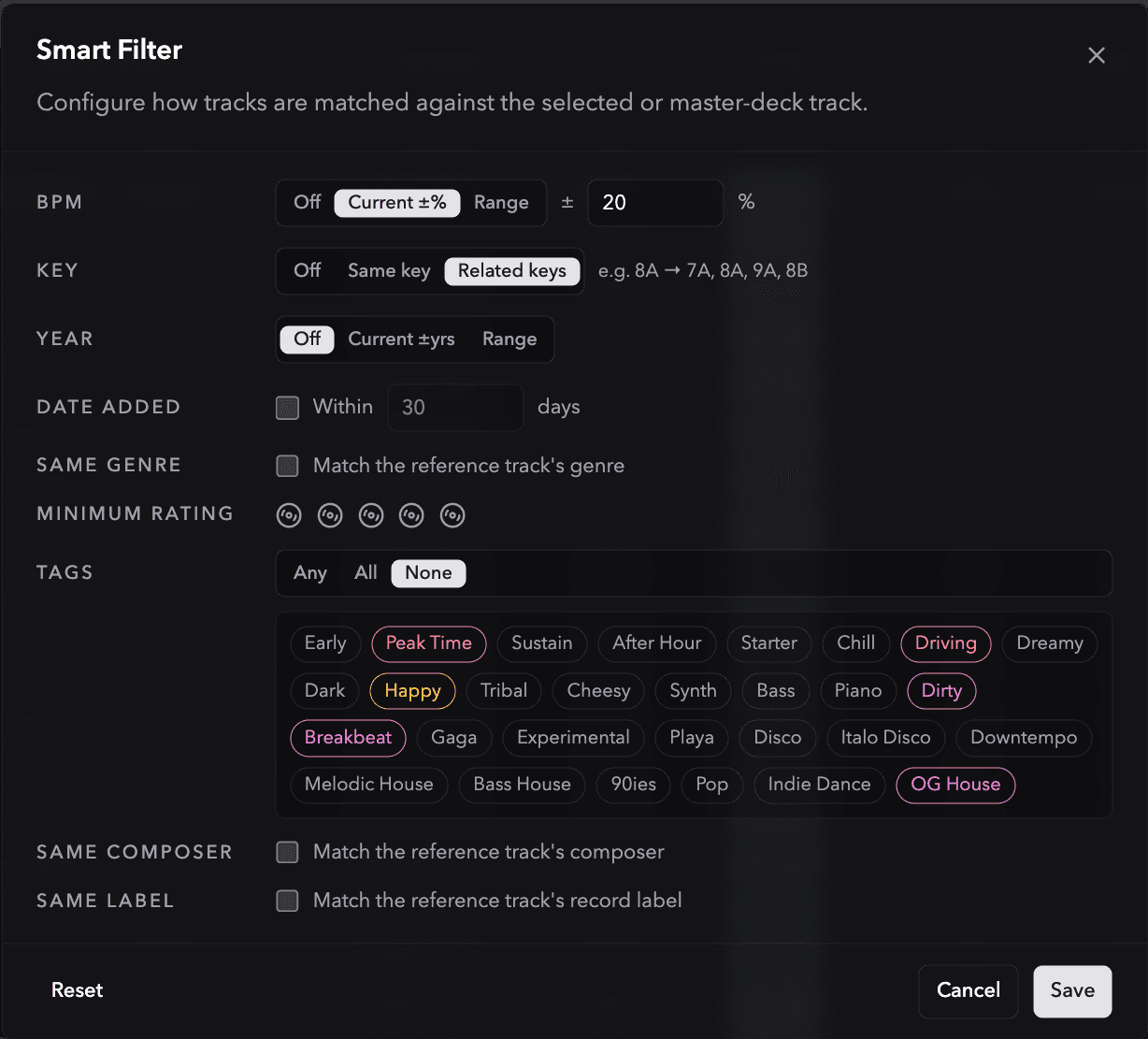
Search TrackId.net's catalogue of DJ livesets, play supported SoundCloud sets inside Ora DJ, and jump directly to timestamped track IDs. See the gaps, save searches, and export the identified tracklist.
Explore the TrackId.net integration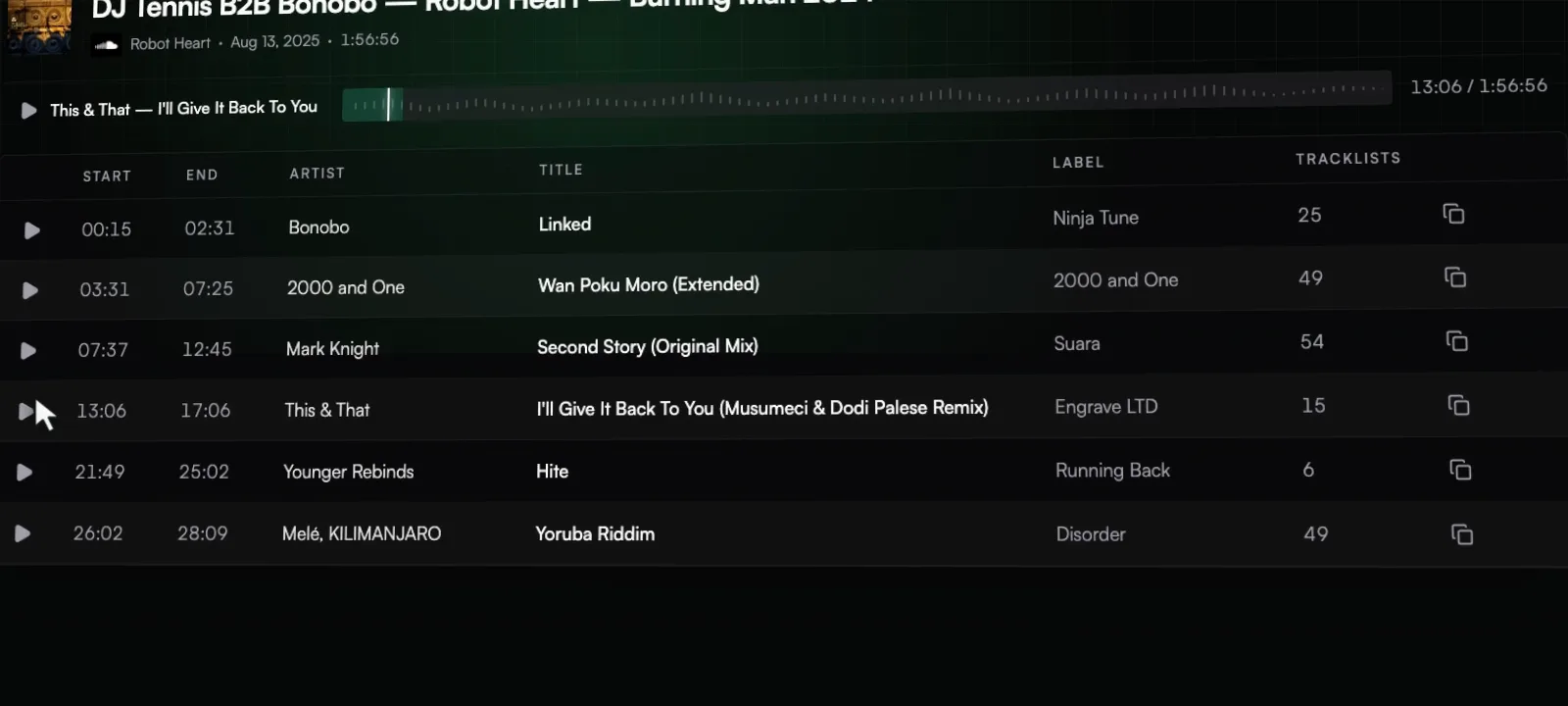
3.0 High-Quality Mixing
Plan it, then actually play it.
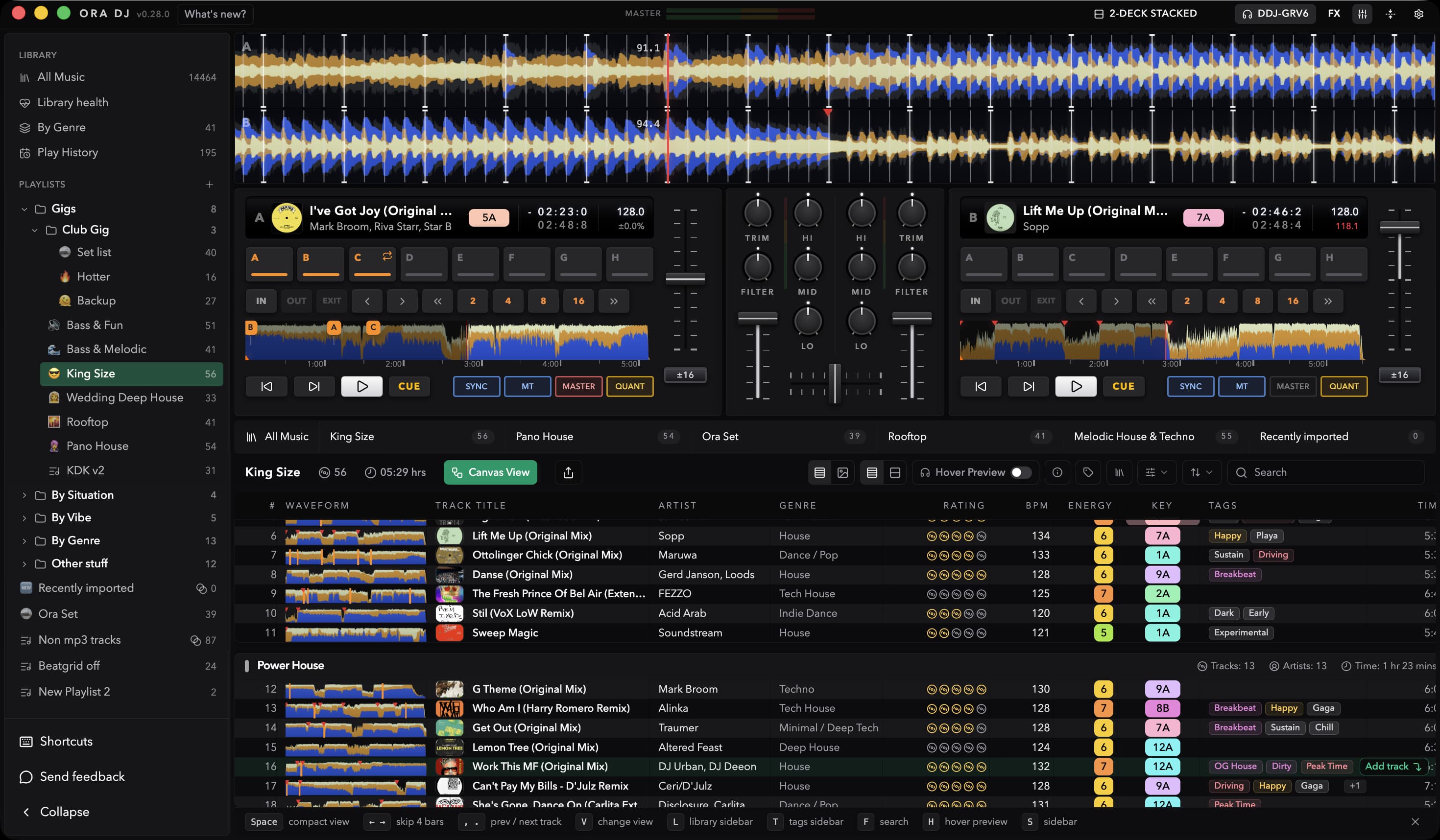
Connect a controller with a built-in mapping, or map your own MIDI controller. Then rehearse the set on a genuine audio engine with time-stretched playback, full EQ and filters, 4-channel headphone cueing, beat FX, scratch, and lock-tempo beatgrids.
Explore High-Quality MixingTen controllers work out of the box
Built-in mappings cover ten Pioneer DJ and AlphaTheta models. Plug one in and start playing.
Map any MIDI controller
NewUsing something else? Move or press each control when prompted, then save the custom mapping for next time.
Play your tracks like you would on Rekordbox
You will feel at home immediately. Test your transitions, arrange your tracks, make it flow.
Hot cues, memory cues, loops
Everything you would expect from a controller is supported.
4.0 Moving to Ora DJ
Simple library import from any tool.
Importing your Rekordbox or Traktor collection is one click. Exporting another. No lock-in. No effort.
Explore Moving to Ora DJ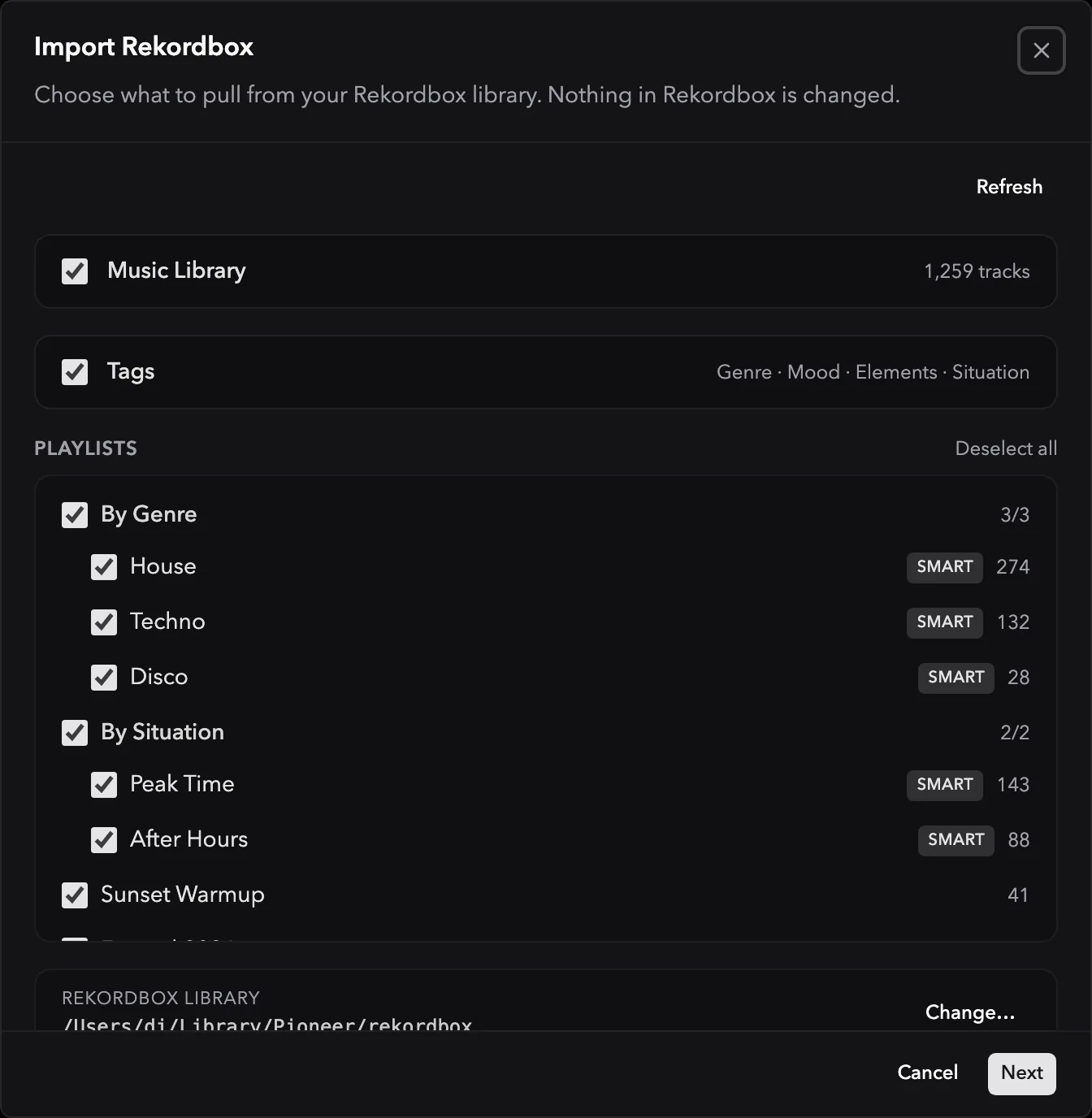
5.0 Stem Studio
Split a track into stems. Build the mashup.
Separate any track into vocals, drums, bass, and harmonic parts, then save an instrumental or acapella straight into your library. Fast on Apple Silicon, and you can play a track before it finishes separating.
Explore Stem Studio
FAQs
Questions about Ora DJ
Plan your next DJ set before you play it.
Every desktop feature, unlimited tracks. Get started with Ora Free.