Make acapellas
Pull the vocal out of a track for an intro, a tease, or a layer over a different groove.

5.0 Stem Studio
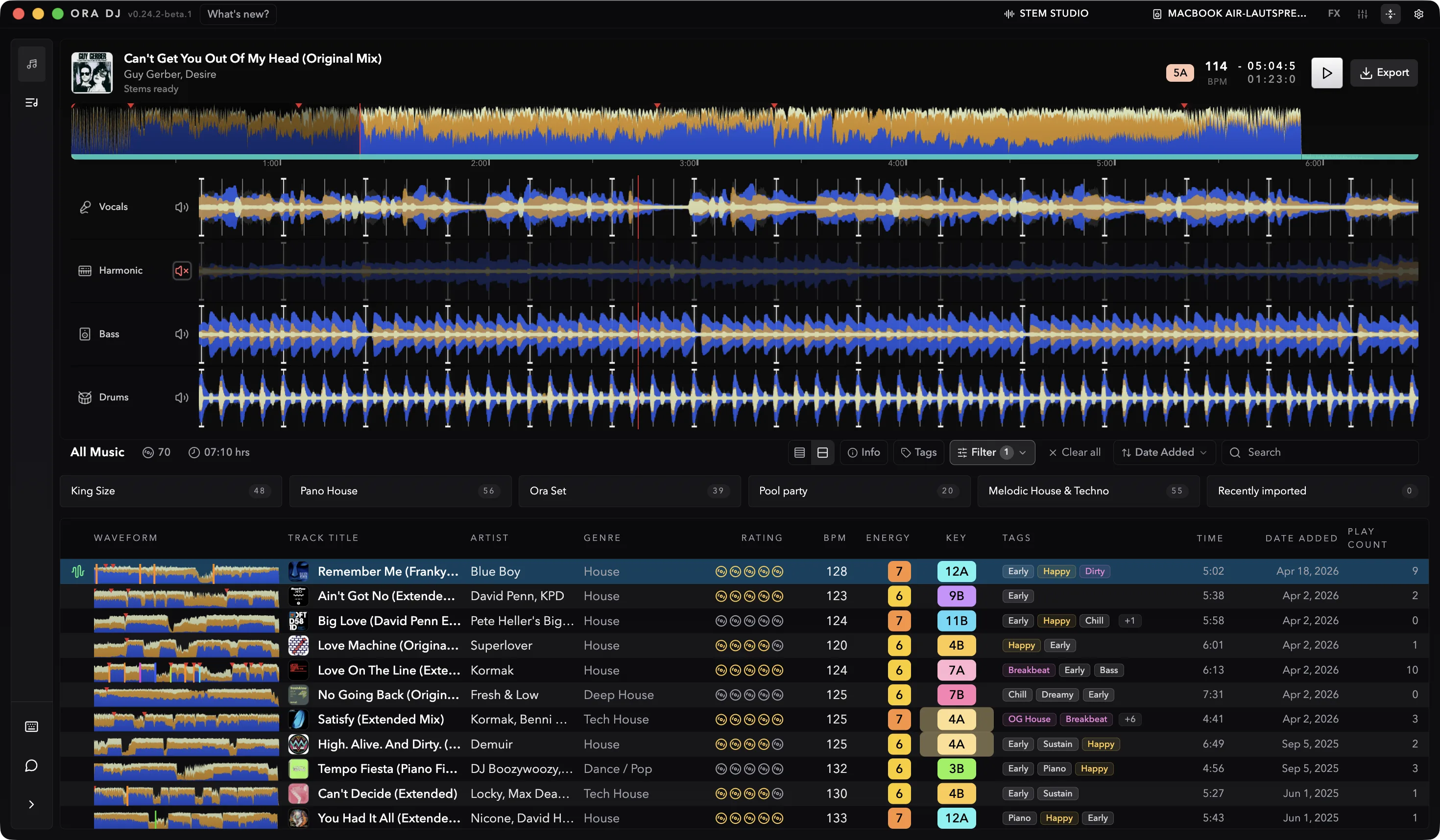
Stem Studio separates any track into vocals, drums, bass, and harmonic parts, then saves an instrumental or acapella version straight back into your library. Prepare mashups and edits in the same place you plan your sets, then export them to USB.
The stems
Stem Studio breaks a finished track into its parts: the vocal, the drums, the bass, and the harmonic layer that carries the melody and chords. Preview each one, then keep the stems you want as their own files.

Pull the vocal out of a track for an intro, a tease, or a layer over a different groove.
Drop the vocal and keep the rhythm section for a clean bed under another acapella.
Pair the vocal from one track with the instrumental of another, then save the result as its own track.
Save instrumental and acapella versions into your library, then export them to USB or take the stems into your DAW.
A six-minute track separates in about a minute on Apple Silicon. You do not have to wait for the whole file to finish: start playing the moment the first part is ready while Stem Studio decodes the rest in the background.
Stem separation works best on clean, well-mixed tracks. Dense masters, heavy reverb, or distorted vocals can leave some artifacts in the result. Separate your tracks before a set so you can check each one in advance.
How stem separation works in Ora DJ, and what to expect from it.
Separate your tracks, save the versions you want into your library, and export them to USB with the rest of your set.