2-deck stackedThree-band waveforms
A

B

Real playback under the planning surface
Time-stretched playback, Master Tempo, EQ, filters, loops, beat FX, and scratch let you feel whether a transition works while you are still planning.

3.0 High-Quality Mixing
Alpha ReleaseConnect a controller with a built-in mapping, or map your own MIDI controller. Rehearse your set with time-stretched playback, EQ, filters, cueing, beat FX, scratch, and lock-tempo beatgrids.
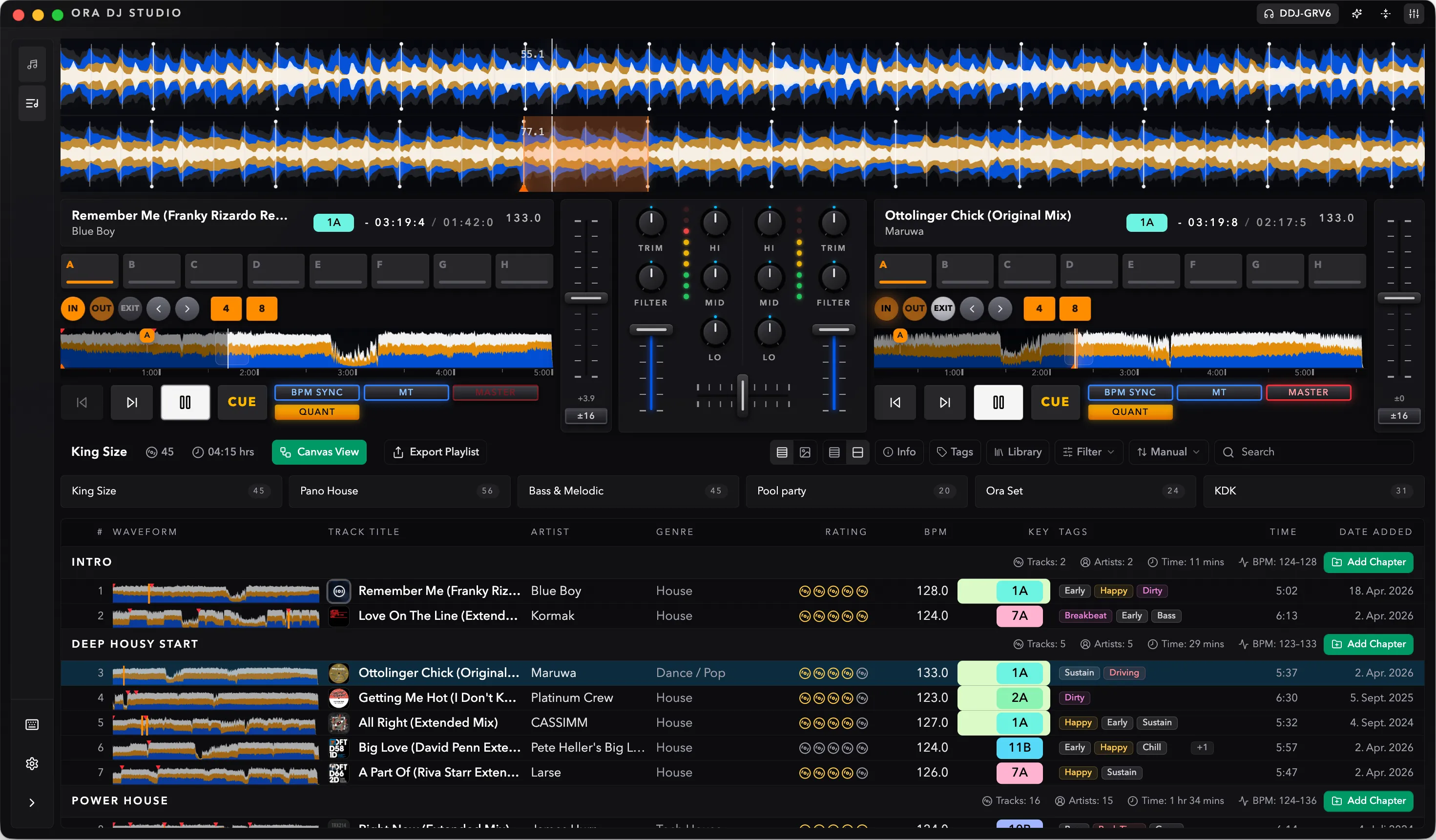
Plug in a controller with a built-in mapping, or map your own MIDI hardware in Ora DJ.
Built-in mappings cover ten Pioneer DJ and AlphaTheta models. Plug one in and start playing.
Using something else? Move or press each control when prompted, then save the custom mapping for next time.
You will feel at home immediately. Test your transitions, arrange your tracks, make it flow.
Everything you would expect from a controller is supported.
Time-stretched playback, Master Tempo, EQ, filters, loops, beat FX, and scratch let you feel whether a transition works while you are still planning.
Ten Pioneer DJ and AlphaTheta models work out of the box with under 15 ms of latency. For other hardware, map any MIDI controller and save the layout for next time.
Ten Pioneer DJ and AlphaTheta models work out of the box. If yours is not listed, map any MIDI controller and save the layout for next time.
Using something else? Ora DJ can guide you through a custom MIDI mapping, control by control. Your mapping is saved for the next session.
Use a built-in controller mapping or map your own MIDI controller, then test transitions while the set is still taking shape.