TrackID
Browse identified tracks in DJ sets, listen to supported sets, and find matches in your own library.
Open TrackID to browse DJ sets and their identified tracks. You need to be signed in and online; the page is available when TrackID access is enabled for your account.
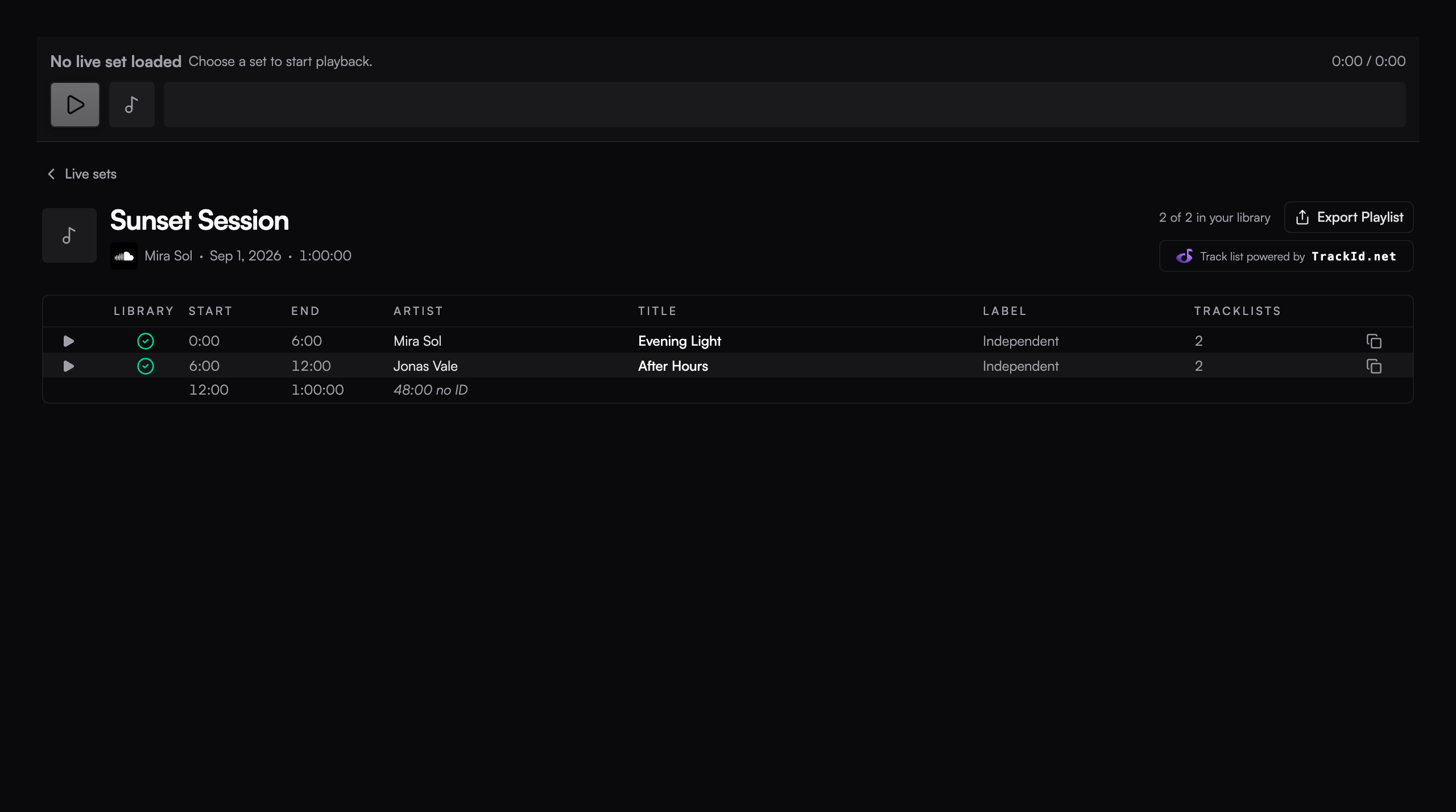
Find a set
Search for DJs, sets, events, or channels. Open a result to see its tracklist and the available timestamps. Save searches you want to revisit from the page.
Tracklists can be incomplete. Coverage indicates how much of a set has identified tracks; it does not mean every track is known.
Listen and identify
Supported SoundCloud sets play in the TrackID player. Select an available track timestamp to move to that part of the set.
Set playback is separate from the DJ decks. It uses stereo playback and does not follow the deck master, headphone cue, or booth assignments in Audio setup.
Find tracks you already own
TrackID compares the tracklist with your local library and marks matches. Use a match to show the corresponding tracks in the library. A match helps you locate music you own; it does not import audio from the set.
Beatport and Traxsource buttons open searches for tracks in those stores. They are search links, not streaming sources inside Ora DJ.
Export the tracklist
Use Export Playlist in the set detail to save the identified tracklist as CSV or Plain text. This exports track information, not the set's audio or downloadable copies of its tracks.
Playlists and folders
Build manual or dynamic playlists, organize them into folders, and keep frequently used lists in Quick access.
Quick listen
Turn on Hover Preview to audition tracks by hovering them in the Canvas or Cover art view. Ora DJ loads each track onto deck A and plays it from its first groove.