Prepare compatible copies
Make club-ready copies of a playlist or selection for a CDJ or XDJ. Ora DJ converts only the files that need it, keeps your cues and grids, and never touches the originals.
A CDJ won't play a FLAC, and it won't take a 96 kHz master. Rather than converting your library and living with it, Ora DJ makes copies that are safe to take to a gig, and leaves everything you have exactly where it is.
Making the copies
Right-click a playlist in the sidebar, or a selection of tracks in the list, and choose Prepare compatible copies.
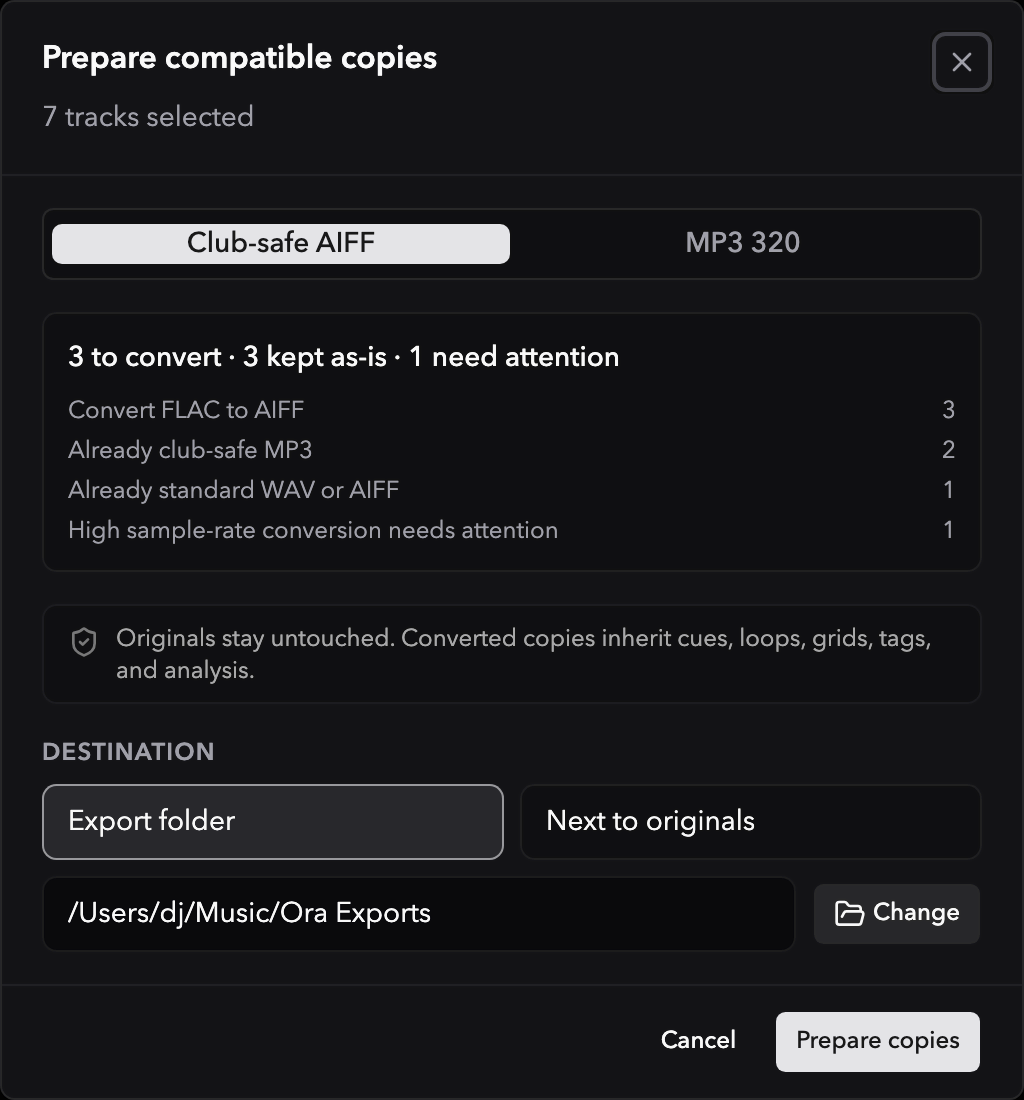
Pick a preset and Ora DJ shows you the plan before you commit to it:
- Club-safe AIFF converts what a CDJ can't read and leaves everything else alone. MP3s, AAC files, and standard WAV and AIFF files are already fine, so they're copied as they are, with no re-encode and no quality lost. FLAC and Apple Lossless become AIFF.
- MP3 320 turns everything into a 320 kbps MP3. Existing MP3s are kept as they are.
The summary counts what's about to happen: how many tracks convert, how many are kept as they are, and how many need attention. Anything above 48 kHz is flagged rather than quietly downsampled, so you can decide.
Where the copies go
Destination is either an Export folder you pick, which Ora DJ remembers for next time, or Next to originals.
Copies come into your library as real tracks, and they inherit your work: cues, loops, beatgrids, tags, and analysis all carry across. Nothing re-analyzes.
Start from a playlist and you get a new playlist of the copies, named after the original with the format on the end, sitting in the same folder. It holds the converted copies plus the originals that didn't need converting, in the order you arranged them. That's the playlist to put on your USB.
When it's done
The summary tells you what was created, what was kept, and what was skipped, with a reason for each one that didn't make it. A track whose file has gone missing is reported rather than silently dropped.
Reveal in Finder takes you to the files.
The line that matters is at the bottom: 0 originals modified. Preparing copies never rewrites, moves, or re-encodes a file you already had.