Editing track details
Edit metadata for one track or a selection, including credits, release details, key, energy and rating.
Select tracks in the library, right-click, and choose Edit metadata. The same editor handles one track or a whole selection.
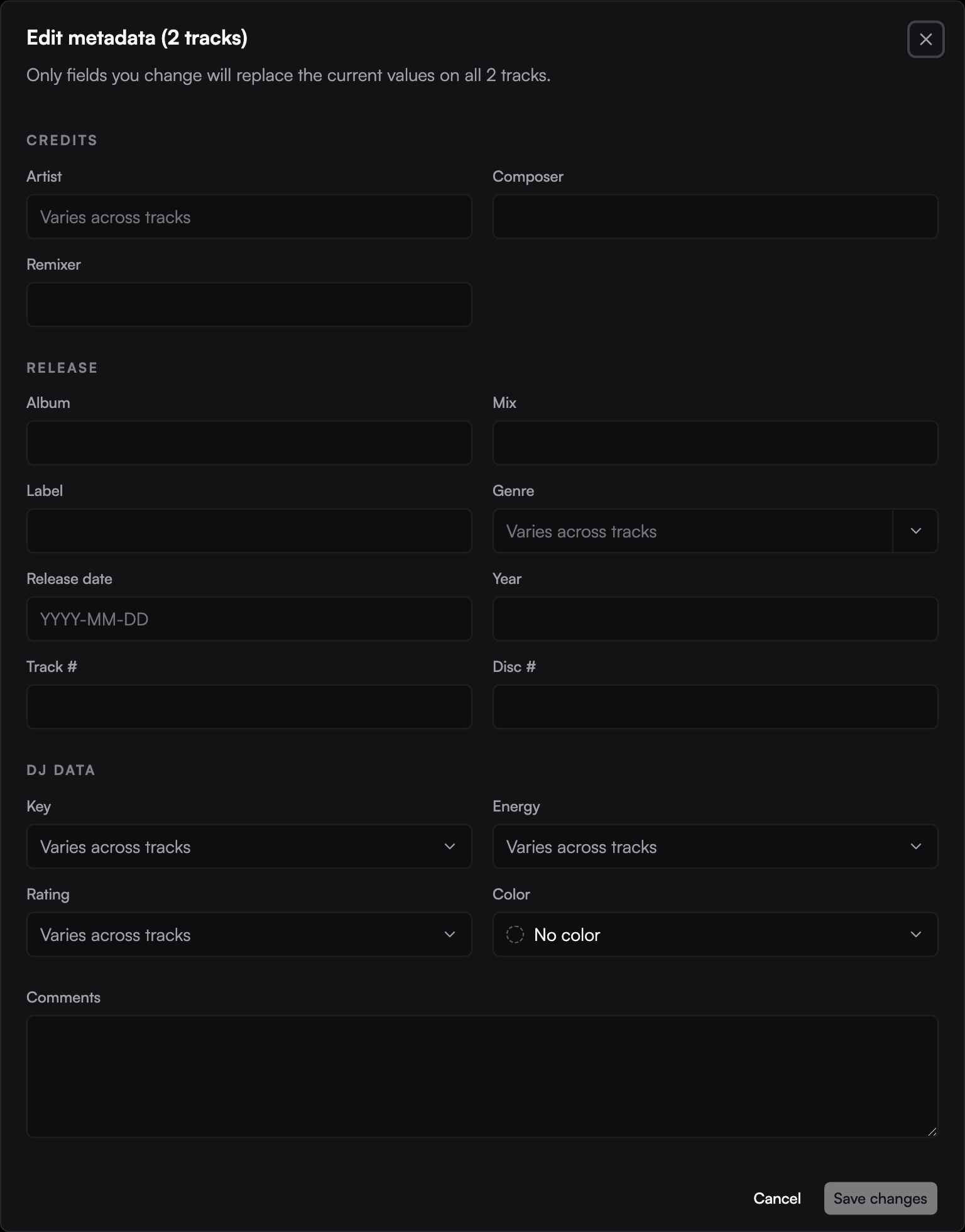
Change several tracks together
The editor groups fields into credits, release details, and DJ data. You can update details such as artist, composer, remixer, album, mix, label, genre, release date, year, track and disc numbers, key, energy, rating, color, and comments.
When selected tracks have different values, the field shows a mixed state. Only fields you change are applied when you save. Leaving a mixed field alone preserves each track's own value.
Review the selection count before saving: a changed field applies to every selected track.
Set or clear a genre
You can also use the track list's genre menu for a selection. Choose a genre to apply it to all selected tracks, or No genre to clear it.
Where changes are saved
These edits update Ora DJ's library, not the tags embedded in the original audio files. Dynamic playlists that use the edited fields update to reflect the new values. See Filtering and Rekordbox import and export.