USB export and playback
Prepare a USB drive for a CDJ or XDJ, play tracks from a drive, and bring player changes back.
Use USB Export to prepare playlists for a CDJ or XDJ. Use a drive that your player supports. FAT32 with Master Boot Record (MBR) works with more players than exFAT. Each file on a FAT32 drive must be smaller than 4 GB.
Sync playlists
- Connect the USB drive.
- Open USB Export in the sidebar.
- Select the drive.
- Select the playlists to include.
- Check the compatibility report. Make compatible copies if necessary.
- Select Sync. If Ora DJ asks you to review changes, check the list before you confirm.
- When sync is complete, select Verify and eject if it is available. Otherwise, select Eject.
Replace and sync can replace the player libraries, cues, grids, and settings on a drive. Back up a drive that another app prepared before you replace its player libraries. Use Import it first if you want to bring its tracks and playlists into Ora DJ.
A repeat sync reuses unchanged audio. You can select up to four drives for the same playlists. Each drive has its own progress and result.
Format track titles
Open the track display settings in USB Sync. Add key, BPM, or energy to the title format. Check the preview before you sync. This changes the titles on the drive. The titles and audio in your library stay the same.
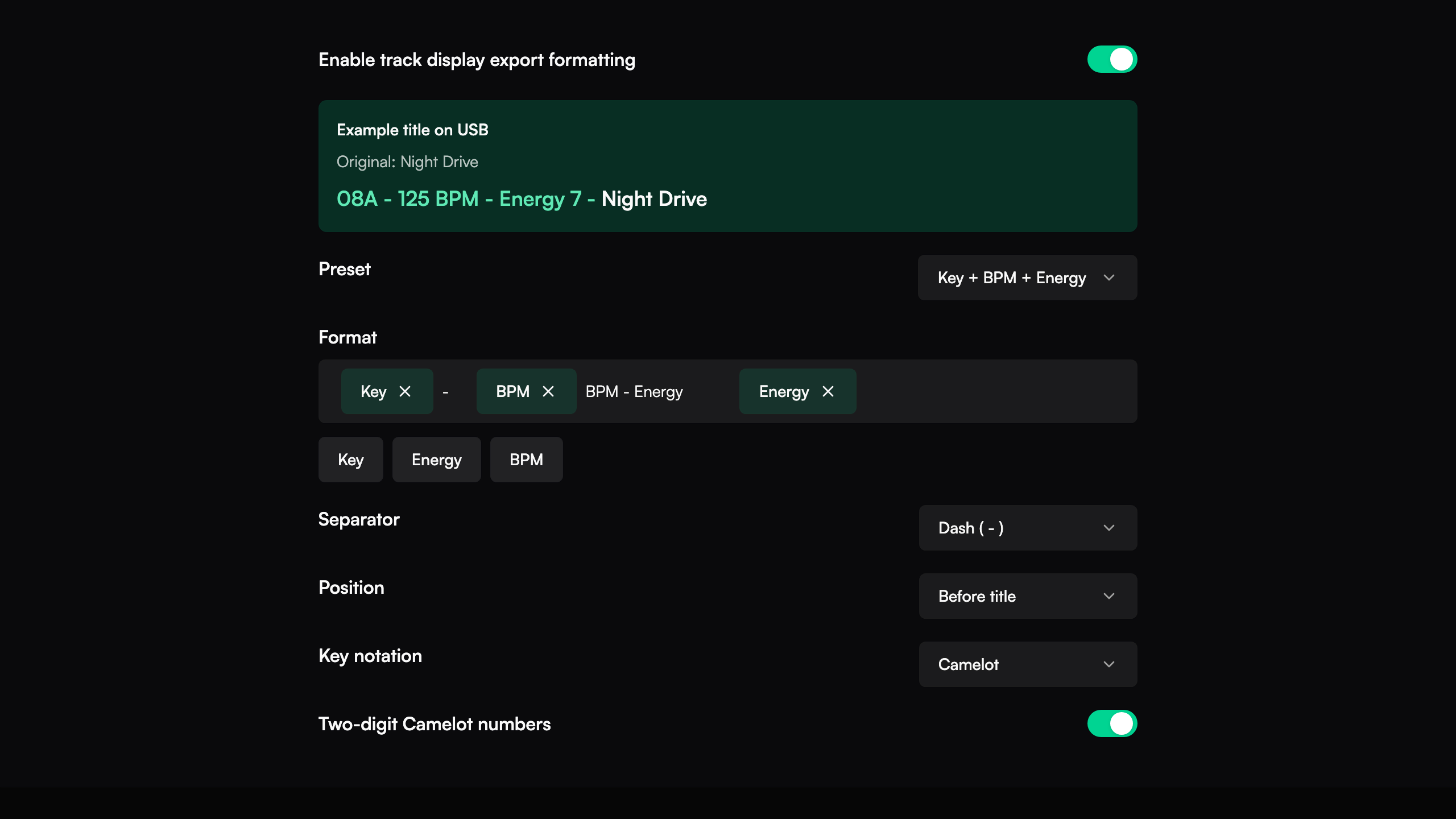
Play or import from a drive
Open the playlists on a Rekordbox-prepared drive. Load a track onto a deck to play it directly from the drive. This playback does not write to the drive.
Use the drive's import view to bring tracks or playlists into your library. Review available play history and supported track edits before you import them.
Recover a sync
If you see Sync incomplete, keep the drive connected. Select Recover sync. Wait for recovery to finish before you sync again. If a track fails, open the result details to check the file and the reason.
For a live connection to a player, see PRO DJ LINK.
Prepare compatible copies
Make club-ready copies of a playlist or selection for a CDJ or XDJ. Ora DJ converts only the files that need it, keeps your cues and grids, and never touches the originals.
Backups
Ora DJ backs up your playlists, cues, tags, ratings, and analysis every day, and restores them in one click if anything goes wrong.